
Download Boat Instrument – marine data, NMEA data, SignalK server, Raspberry Pi, sailing, navigation, real-time data, boat dashboard, marine dashboard
Overview
Boat Instrument is a mobile application tailored for sailors and boaters seeking real-time, customizable marine data visualization. Designed to integrate with a SignalK server, the app collects and displays NMEA data from onboard systems, offering a dynamic and configurable boat dashboard. Its primary purpose is to enhance navigation and sailing experiences by presenting critical maritime information in a clear, user-adjustable format. The app is particularly beneficial for those who rely on precise, up-to-date data for decision-making during voyages, from casual weekend sailors to more advanced maritime operators.
By leveraging a SignalK server—often hosted on a Raspberry Pi—Boat Instrument transforms raw sensor data into actionable insights. This integration allows users to monitor speed, heading, wind conditions, and other key metrics in real time. The app’s focus on customization makes it ideal for users who require specific data layouts based on their vessel’s configuration or sailing style. It supports a range of marine environments, from coastal cruising to offshore navigation, and serves as a practical tool for improving situational awareness on the water.
Although the developer did not provide additional technical details about the company or background, the app’s design reflects a clear focus on functionality and user control. It is typically deployed in conjunction with existing marine hardware, making it a flexible addition to onboard digital systems. The app contributes meaningfully to the marine technology ecosystem by bridging the gap between raw data and intuitive visual feedback, empowering users to make informed, timely decisions during their sailing adventures.
Key Features & Functionality
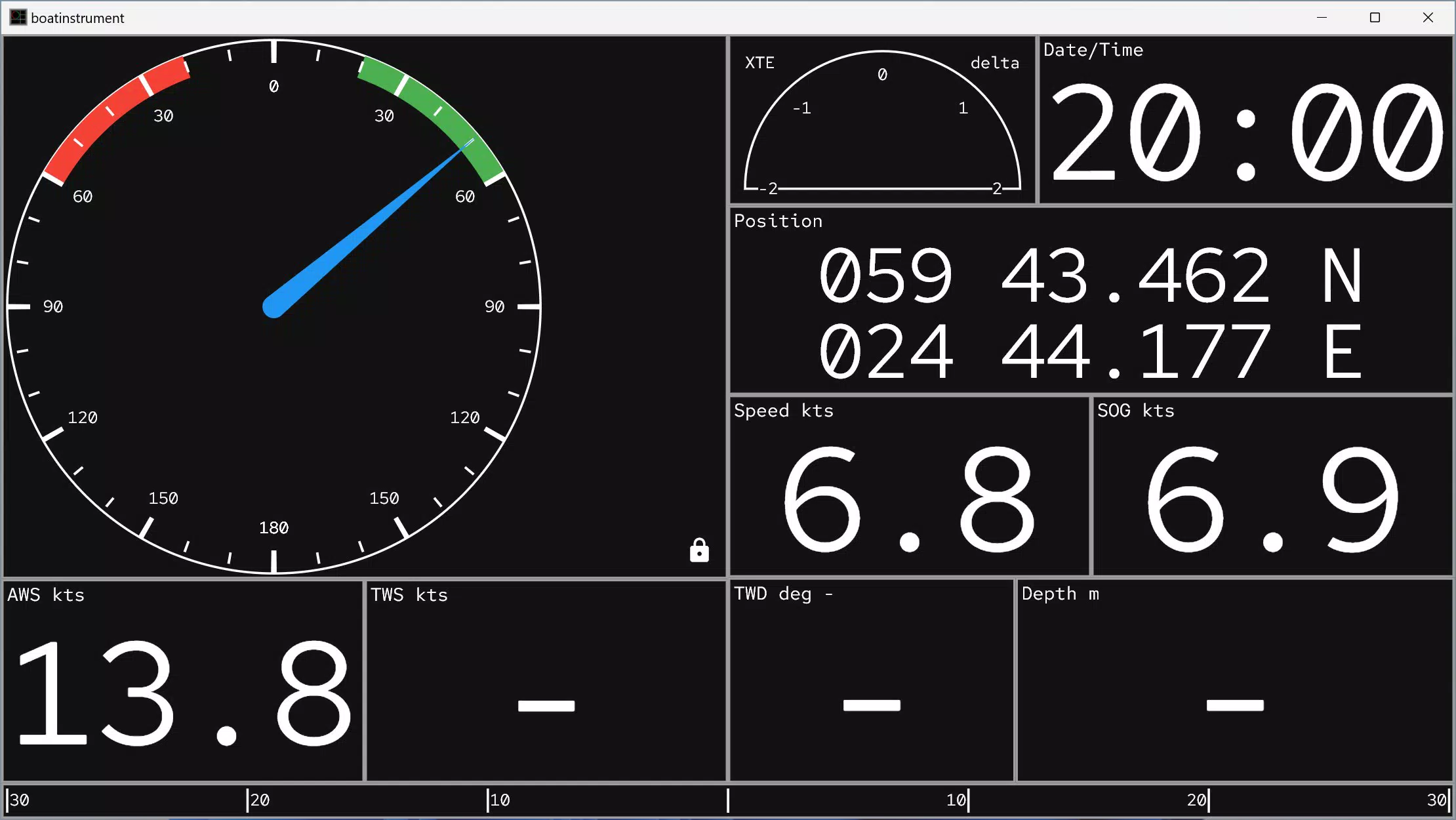
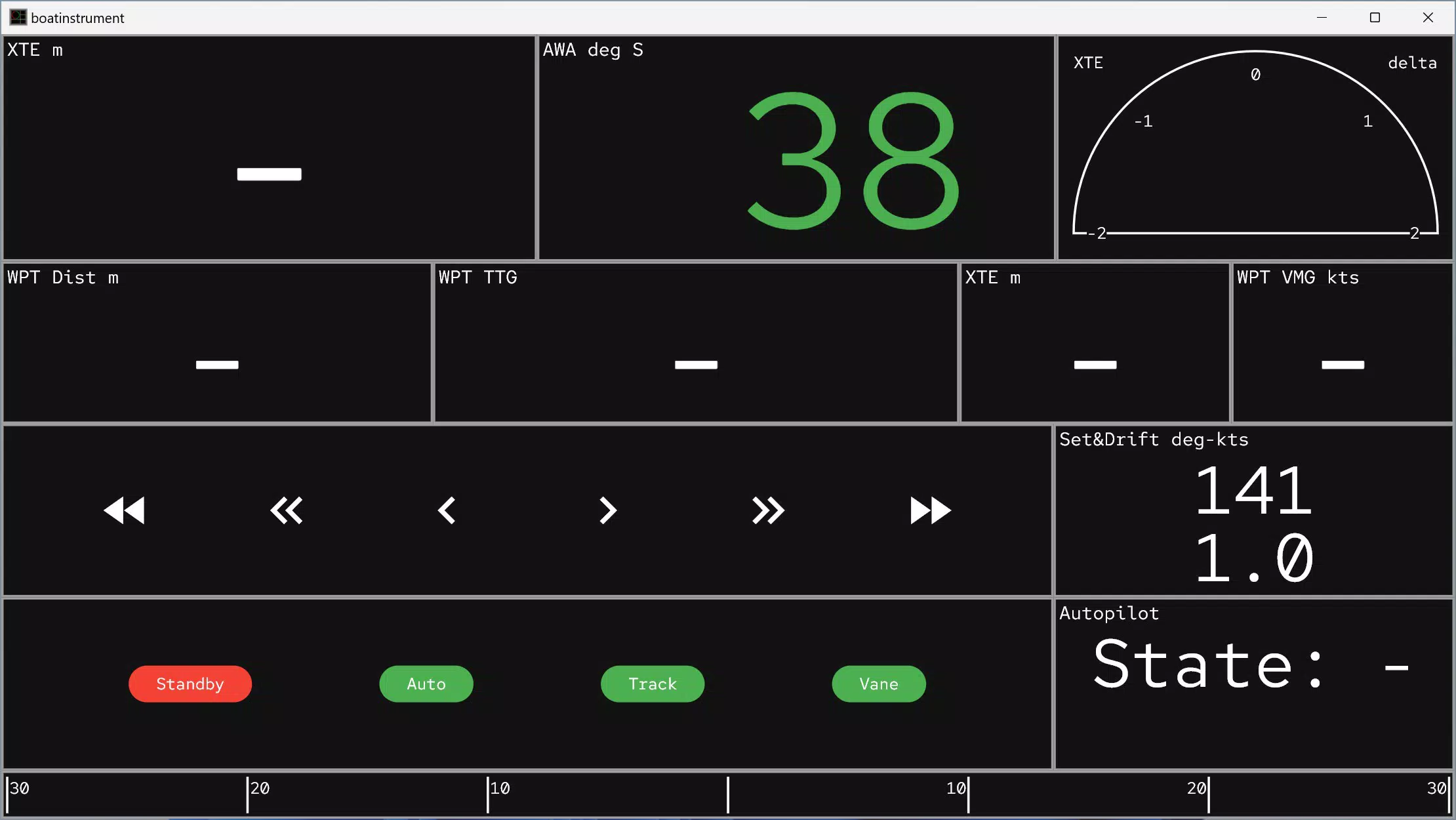
- Configurable Display Options: Users can fully customize the layout and appearance of their dashboard screens, choosing which data fields to display and how they are arranged. This allows for prioritization of critical information such as speed, course, and wind angle, tailored to individual sailing needs.
- Real-Time Data Access: The app connects directly to a SignalK server to stream live marine data, ensuring that all displayed metrics—like GPS position, heading, and wind speed—are updated instantly. This responsiveness is essential for dynamic navigation scenarios where timing and accuracy are crucial.
- Compatibility with Raspberry Pi: Boat Instrument is commonly deployed on a Raspberry Pi, which acts as the local SignalK server. This setup allows users to repurpose affordable, low-power hardware into a robust marine data hub, reducing reliance on expensive commercial systems.
- NMEA Data Integration: The app seamlessly ingests NMEA data from onboard instruments such as GPS, AIS, and wind sensors. It processes this information and presents it in a unified, easy-to-read format, simplifying complex technical inputs into clear visual outputs.
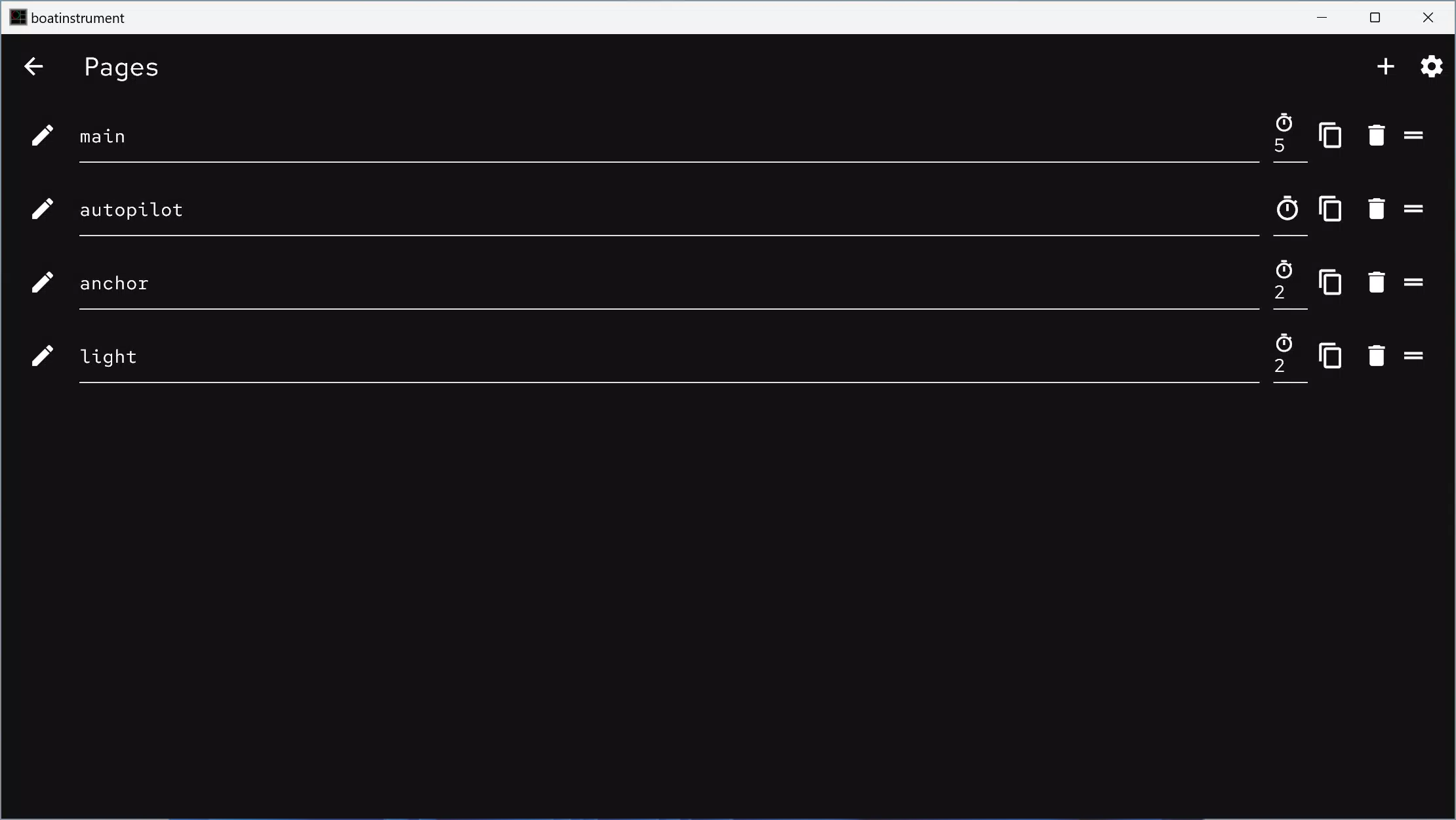
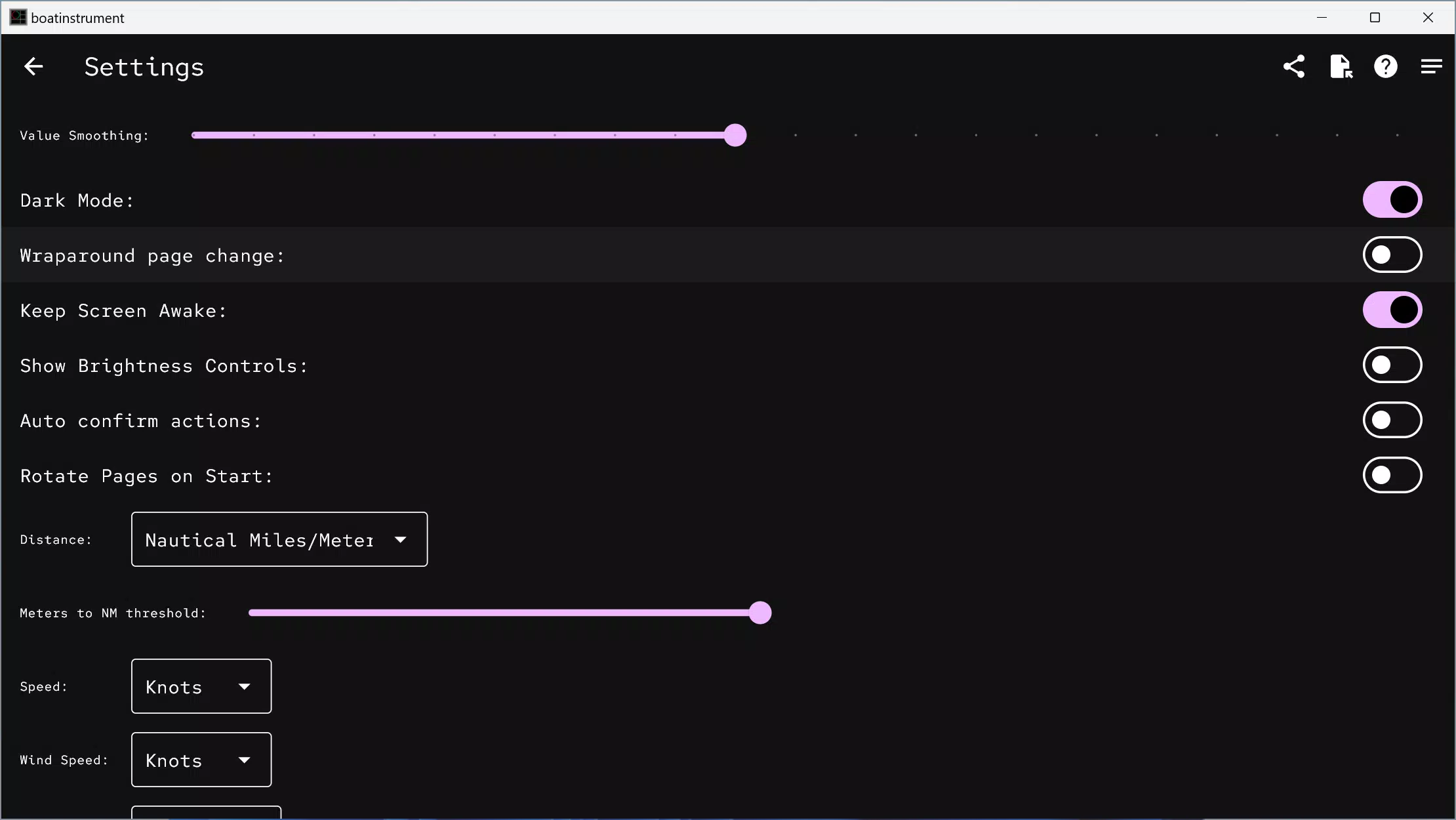
- User-Friendly Configuration: Despite its advanced capabilities, the app is designed with accessibility in mind. Users can adjust display settings through an intuitive interface, enabling even those with limited technical experience to set up and maintain their dashboard effectively.
For example, a sailor preparing for a coastal passage can configure the app to highlight wind direction, speed over ground, and course deviation. During a race, a navigator might prioritize real-time bearing and distance-to-waypoint data. The flexibility ensures the app adapts to diverse sailing contexts and user expertise levels.
Interface, UX & Performance
The user interface of Boat Instrument emphasizes clarity and functionality, presenting marine data through customizable visual boxes. The layout is designed to minimize clutter while maximizing readability, making it suitable for use in bright sunlight or low-light conditions. Navigation is straightforward, allowing users to switch between different dashboard views with minimal taps.
Visual style leans toward a clean, minimalist aesthetic with high-contrast elements to improve legibility. Data fields are clearly labeled, and the use of color coding helps users quickly identify status changes—such as wind shift or course deviation—without needing to read exact numbers. The app supports touch-based interactions, enabling quick adjustments during active sailing.
Although the developer did not list formal performance metrics, the app’s reliance on a local SignalK server suggests optimized data handling. This architecture reduces latency and dependency on external networks, contributing to a responsive experience. The app maintains stability under continuous use, and its lightweight footprint—24.5 MB—indicates efficient resource management. Performance across different Android devices is expected to remain consistent, though specific requirements were not disclosed.
Platform Compatibility & Technical Requirements
Boat Instrument is available on the Android platform and requires a compatible Android device to function. The current version is 1.0.0, with a file size of 24.5 MB. The app is free to download and install, making it accessible to a broad range of users.
The developer did not specify minimum OS requirements or device compatibility details. However, given its integration with a SignalK server often hosted on a Raspberry Pi, the app is likely optimized for stable network connectivity and low-latency communication. Users should ensure their Android device supports local network access and has sufficient processing power to render real-time data without delay.
Compatibility information was not fully disclosed, and specific hardware or software prerequisites were not listed. It is recommended that users verify their device’s capabilities before installation to ensure optimal performance.
Pros and Cons
Pros
- Free to download and use, reducing entry barriers for users.
- Highly customizable interface tailored to individual sailing needs.
- Real-time data access via SignalK server for accurate, up-to-date marine metrics.
- Compatible with Raspberry Pi, enabling cost-effective deployment.
- Seamless integration with NMEA data from standard marine instruments.
Cons
- Requires external setup with a SignalK server and compatible hardware.
- Specific device or OS requirements were not listed.
- Setup may require technical knowledge for initial configuration.
- Limited to Android platform at this time.
- Dependent on existing marine data infrastructure.
FAQ
Is Boat Instrument available for iOS?
As of now, the app is only available on the Android platform. No official iOS version has been released.
Do I need a Raspberry Pi to use Boat Instrument?
The app is commonly used with a Raspberry Pi hosting a SignalK server, but the app itself does not require a Pi. It connects to any compatible SignalK server, which could be hosted on other devices.
Is the app secure to use on my boat?
Boat Instrument operates on local networks and does not transmit data externally by default. This local operation enhances security, especially when used in isolated marine environments.
How do I update Boat Instrument?
Updates are managed through the Android app store. Users should ensure their device is connected to the internet and check for updates regularly.
Can I use Boat Instrument without a SignalK server?
No, the app requires a SignalK server to function. It cannot operate independently and relies on external data sources for real-time marine information.
Final Thoughts
Boat Instrument stands out as a powerful, flexible tool for sailors who value control, accuracy, and customization in their onboard data systems. Its ability to transform raw NMEA data into a personalized, real-time dashboard makes it an essential utility for modern boaters. While it requires a preliminary setup involving a SignalK server, the long-term benefits—cost savings, adaptability, and improved navigation—make it a worthwhile investment for those committed to digital marine operations.
Whether you're navigating coastal waters or preparing for a long-distance voyage, Boat Instrument delivers a professional-grade experience without the premium price tag. Its lightweight design, free access, and deep integration with marine hardware position it as a smart choice for tech-savvy sailors and DIY enthusiasts alike.
Download Boat Instrument now


